Sample CR Analyzer output

View Sample Reports

These screenshots show the portal views prepared from uploaded Crystal Reports, including sort modes, related-report matching, export-ready grids, and ERD join cards.

3sample reports
8tables
112fields
9joins
3parameters
9formula / RT / SQL rows
Data Dictionary

Sort and search fields by table, field, or report.

The data dictionary view lets users switch sort modes, search exact table.field values or wildcard fields, and export both full field data and unique Field/Table CSV output.

  • Sort defaults such as Field + Table and unique Field/Table-only review.
  • Related Fields explains why matches are connected across reports.
  • Reports Using Selected Field shows where the selected field appears.

Use this Crystal Reports data dictionary sample to see how CR Analyzer documents table names, field names, field data types, report usage, and repeated field patterns across a report library. The searchable field inventory helps teams identify where a database column is used before changing SQL views, stored procedures, formulas, report layouts, or application data sources.

For migration and audit projects, the data dictionary export gives reviewers a consistent Crystal Reports field list that can be sorted by table, field, report, or unique field/table pair. This makes it easier to find duplicate report logic, shared customer fields, renamed aliases, and reports that may need testing after database changes.
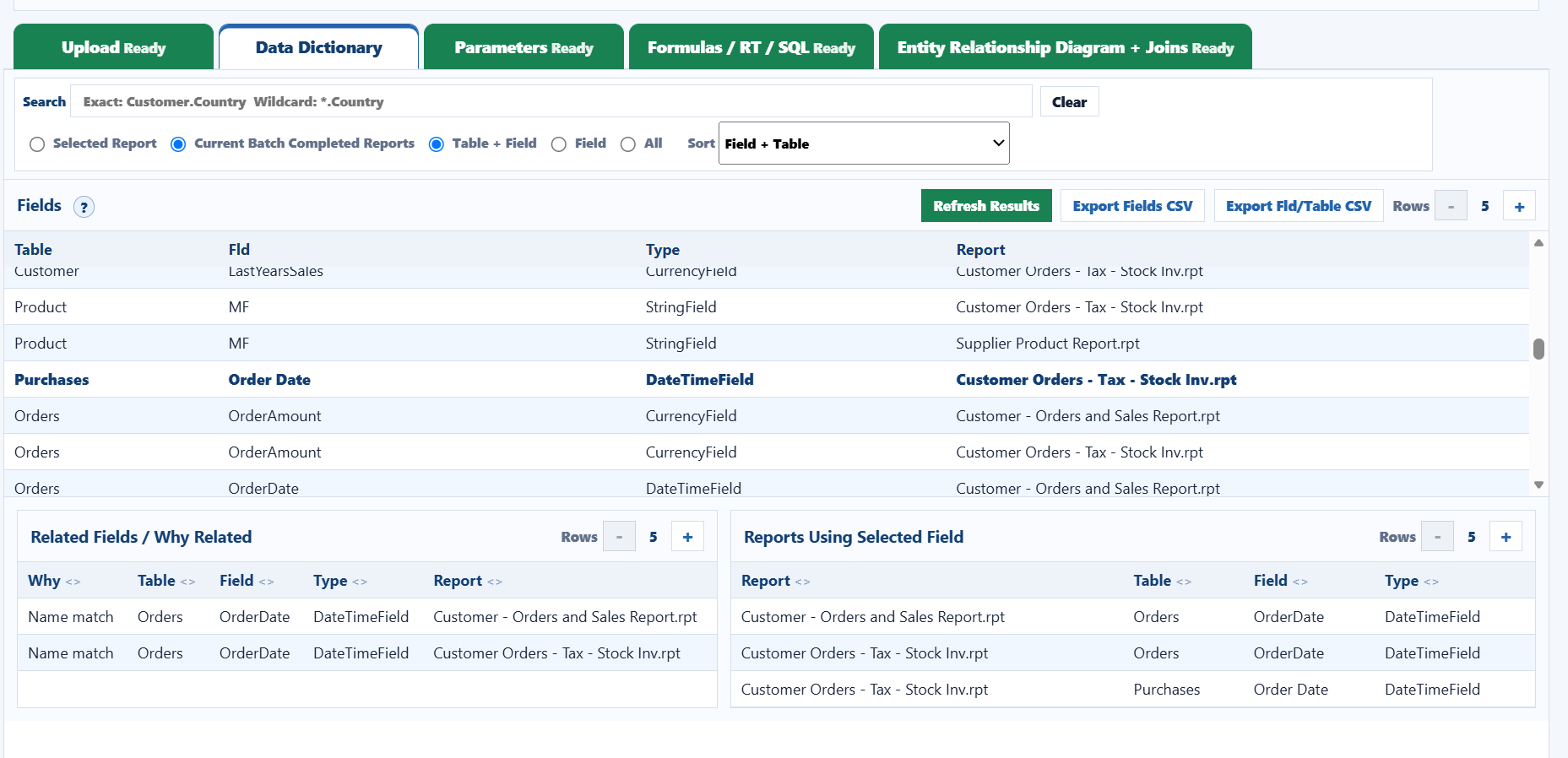
CRAnalyzer Data Dictionary sort, search, related fields, and reports using selected field
Field + Table sort with related-field and report-usage panels.
Parameters

Review prompts, data types, defaults, ranges, and reuse.

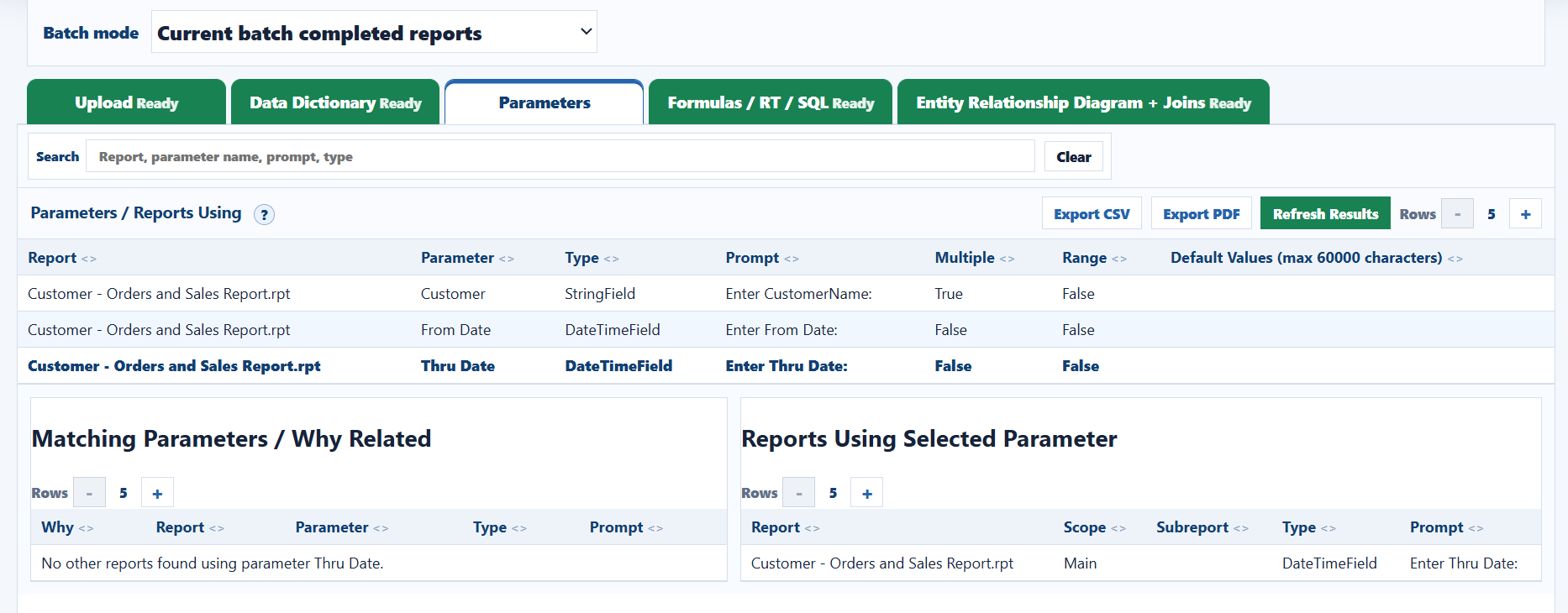
The parameters tab shows report prompts and flags for multiple values and ranges. Selecting a row shows matching parameters and every report using that parameter.

  • Search report, parameter name, prompt, and type.
  • Default values are capped to the MDB-safe max column length.
  • CSV/PDF exports follow the current list order.

The Crystal Reports parameters sample shows prompt text, value type, multiple-value settings, range settings, and default values so report owners can understand how users filter and run each report. Parameter documentation is useful when replacing reports, validating business prompts, or comparing a new report version against an older batch.

CR Analyzer helps locate reports that reuse the same parameter names or similar prompt wording. That gives support teams a faster way to answer questions such as which reports ask for customer, date range, fiscal period, territory, or product parameters and whether those reports behave consistently.

CRAnalyzer Parameters tab with matching parameters and reports using selected parameter
Selected parameter with related-parameter and usage panels.
Formulas / RT / SQL

Find reports using similar formulas, running totals, or SQL.

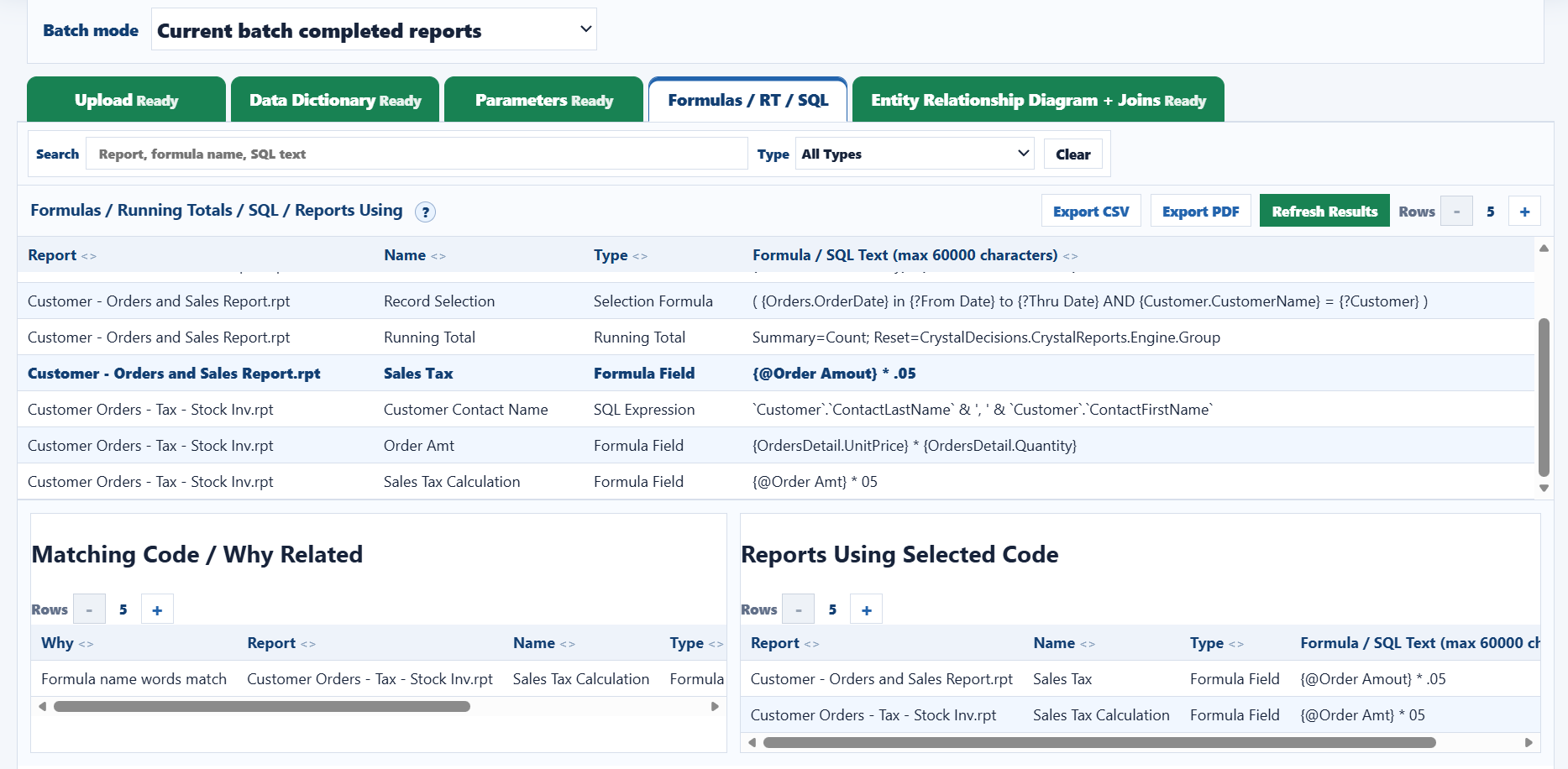
Formula matching highlights reusable logic and near-name matches, making it easier to find reports that calculate or filter the same business rule.

  • Filter by formula field, running total, selection formula, or SQL expression.
  • Compare selected code against related report logic.
  • Export CSV/PDF for audit and migration review.

The formulas, running totals, and SQL sample documents Crystal Reports business logic that is often hidden inside .rpt files. CR Analyzer captures formula fields, selection formulas, running total definitions, SQL expressions, and SQL command text so analysts can review calculations and filtering rules without opening every report manually.

This output is especially helpful for finding reports that calculate sales tax, revenue, commissions, balances, date filters, customer groups, or other repeated business rules. When reports are changed later, this same documentation can support compare reviews that highlight modified formulas, changed SQL, removed running totals, or new report selection logic.

CRAnalyzer formulas running totals SQL tab with matching code and reports using selected code
Formula name and code matching across reports.
Verified Joins

List exact Crystal join rows with report, from, type, and to.

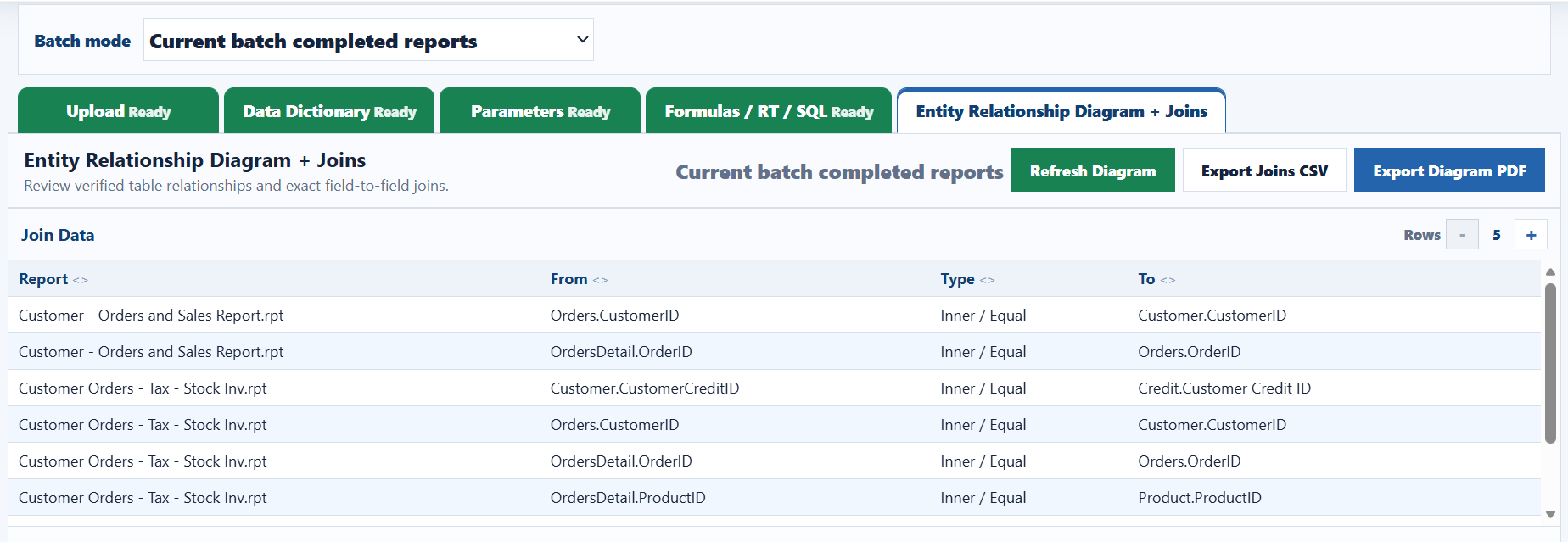
The joins grid keeps the list focused on actual Crystal report relationship rows. It is export-ready and mirrors the ERD join details below.

  • Only verified join rows are listed.
  • Report, From, Type, and To columns match export format.
  • Rows can be reviewed by current batch or all completed reports.

The verified joins sample lists the exact Crystal Reports relationship metadata found in each report. Instead of guessing from field names alone, CR Analyzer records the report name, from table.field, join type, and to table.field so teams can review how tables are actually linked in the report design.

Join documentation helps identify reports that depend on customer-to-order links, order-to-detail links, product joins, credit tables, lookup tables, or subreport links. It also supports troubleshooting when a report returns duplicate rows, missing rows, unexpected totals, or different results after a database migration.

CRAnalyzer Entity Relationship Diagram join data list
Verified join data for current batch completed reports.
Entity Relationship Diagram

Show keyed table cards and exact join details together.

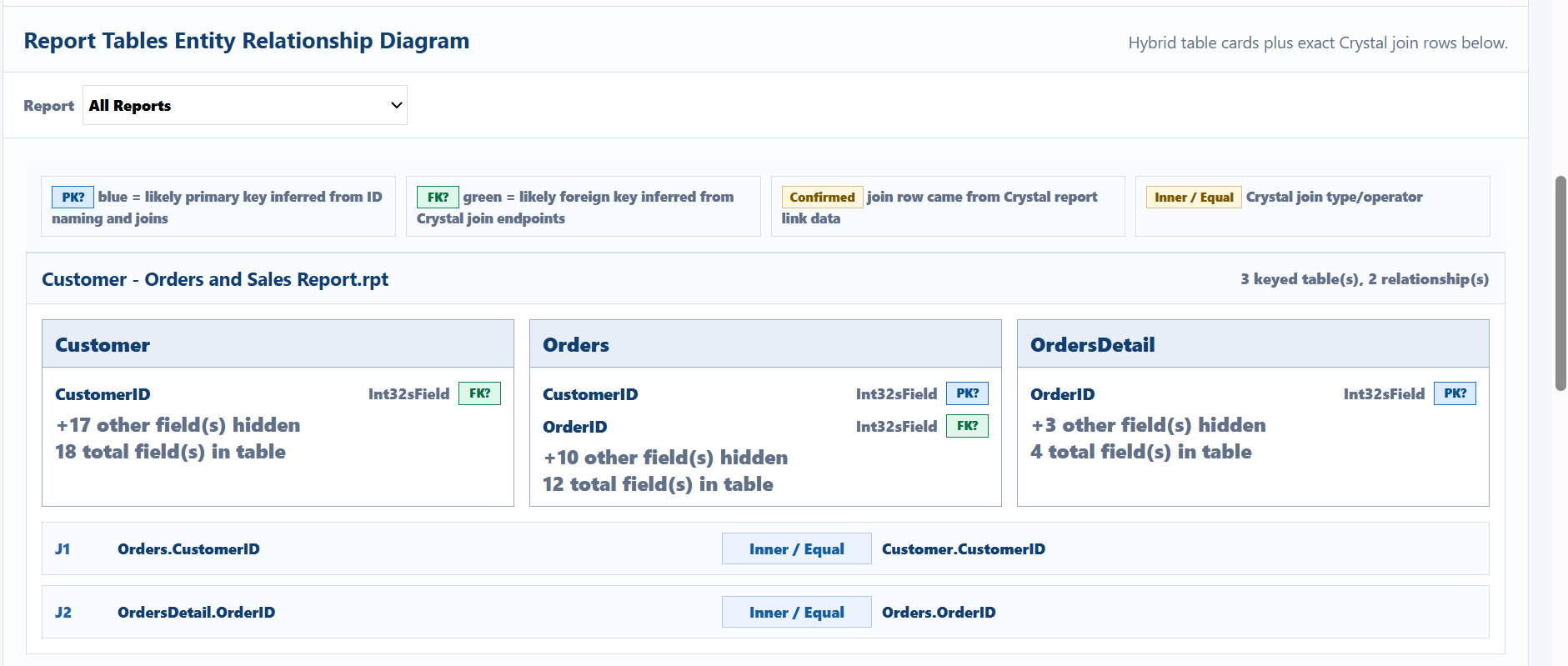
The ERD view summarizes likely PK/FK fields, hides non-key fields, and lists exact Crystal join rows below each report card. This gives both a quick map and the source join evidence.

  • Color-coded PK?/FK? badges explain inferred key roles.
  • Cards show hidden-field counts and total fields per table.
  • PDF export can fit multiple report join cards per page.

The Crystal Reports ERD sample combines table cards, likely primary key fields, likely foreign key fields, field counts, and verified join rows into a review-ready relationship diagram. This gives a practical entity relationship diagram for reports even when the original database schema documentation is incomplete or unavailable.

For audits and modernization projects, the ERD view helps reviewers understand which tables each report touches, which fields are used as join keys, and how report data flows from source tables into report output. The PDF version can be shared with developers, database administrators, analysts, and support teams as lightweight Crystal Reports relationship documentation.

CRAnalyzer ERD table cards with PK FK badges and exact join details
ERD cards with keyed fields, relationship counts, and join rows.